ADXTrend Strength
What You Need
TradingView
Pro, Pro+, or Premium plan
TCT Premium
Invite-only access with subscription
Any Chart
Works on any instrument & timeframe
10 Settings
Every element fully configurable
Read the Trend at a Glance
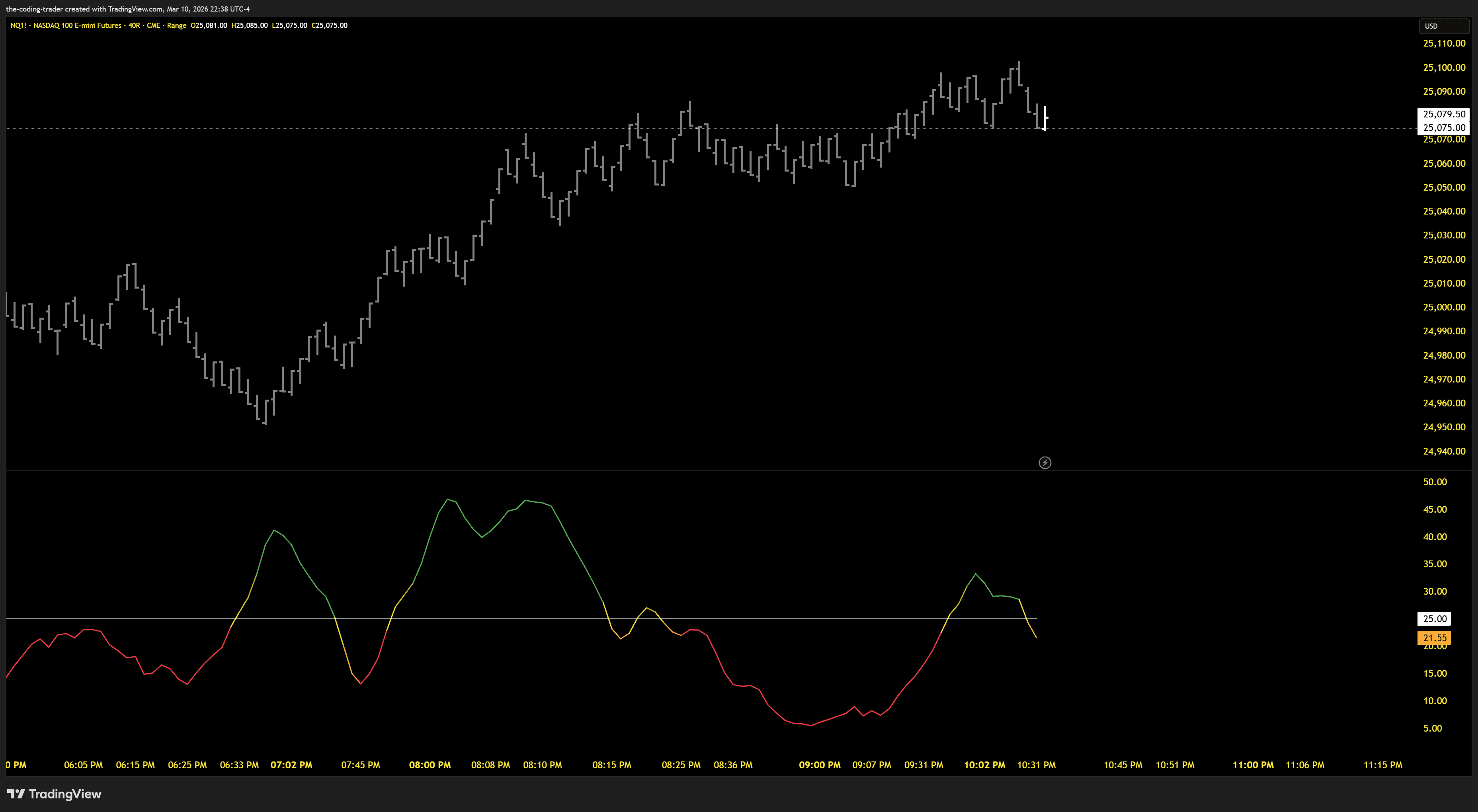
The ADX line changes color based on where it sits relative to your threshold. No numbers to interpret — the color tells you everything.
Trending
ADX is above the threshold — strong directional movement. The market is moving with conviction.
Transitioning
ADX just crossed the threshold. The gradient builds bar by bar from the transition color to the full state color.
Ranging
ADX is below the threshold — weak or no trend. The market is consolidating or chopping sideways.
Gradient Color System
Most ADX indicators flip colors instantly when crossing a threshold. This one builds the color gradually over a configurable number of bars.
Default: 5 gradient steps from transition color to full intensity
Smooth Transitions
No jarring color flips. The gradient builds over a configurable number of bars (default 5) from the transition color to the full state color.
Instant Context
Green means trending, red means ranging, yellow means the threshold was just crossed. No numbers to read, no mental math.
Clean by Design
Traditional ADX indicators plot three lines and overwhelm the pane. This version strips it down to what actually matters.
Traditional ADX
- ✕DI+ line
- ✕DI- line
- ✕ADX line
- ✕Multiple overlapping colors
- ✕Crossover signals to decode
This ADX
- ✓Single ADX line with gradient color
- ✓Optional threshold reference line
- ✓Color tells you trend state instantly
Features
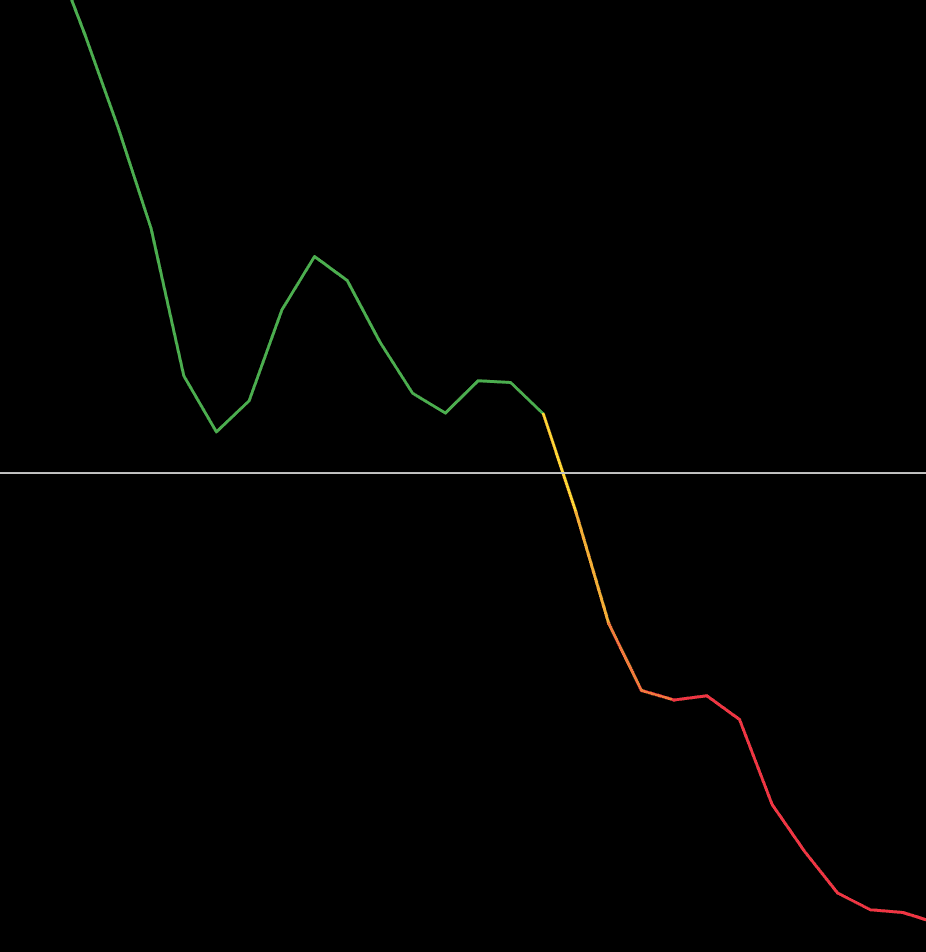
Gradient Threshold Coloring
When the ADX crosses your threshold level, the line doesn't just flip colors — it smoothly transitions through a gradient over a configurable number of bars. Watch the color build from yellow to full green as a trend gains strength, or fade to red as momentum dies. You can see the shift happening in real time, giving you an early visual cue before the trend is fully established or fully exhausted.

Fully Customizable Colors
Every color in the indicator is configurable — the base ADX line, above threshold, below threshold, transition color, and threshold line. Whether you run a dark theme, light theme, or something custom, you can dial in the exact look you want. Toggle threshold coloring on or off entirely for a simple single-color line.
Additional Features
- ✓Clean Single-Line DisplayUnlike traditional ADX indicators that plot DI+, DI-, and ADX all on the same panel, TCT - ADX strips it down to just the ADX line and an optional threshold reference. Less noise, more signal. The result is a clean, focused view of trend strength that doesn't compete for your attention with lines you weren't looking at anyway.
- ✓Configurable Trend Strength ThresholdThe threshold level (default 20) draws a clear line between trending and ranging markets. Adjust it up for stricter trend filtering or down for more sensitivity. The threshold line can be toggled on or off independently, and the ADX line color reacts to whichever value you set — making it easy to experiment with different levels visually.
- ✓Gradient Step ControlThe gradient steps setting controls how many bars it takes for the ADX line to reach full color after crossing the threshold. Set it to 2 for a quick transition, or 10 for a slow build. This lets you tune the visual feedback to match your trading style — aggressive traders might want fast confirmation, while swing traders might prefer watching the color develop over more bars.
Ready to Get Started?
Get ADX with your TCT Premium subscription. Includes setup guides, video walkthroughs, and downloads in your member dashboard.