Range BarScalper
What You Need
TradingView
Pro, Pro+, or Premium plan
TCT Premium
Invite-only access with subscription
Range Bars
Designed for range bar charts
2 Alerts
Buy and sell with full webhook support
Three Conditions, One Signal
Every signal requires three independent conditions to align. If any one fails, the signal is suppressed — cutting through the noise that plagues range bar charts.
ADX Strength
Momentum GateADX must exceed the configured threshold (default 20) to confirm a trending market. Below threshold = no signals. Keeps you out of choppy, directionless conditions.
DM Bias
Directional FilterWilder's Directional Movement determines who's in control. +DI above -DI = bullish bias (buy signals only). -DI above +DI = bearish bias (sell signals only).
STT Candles
Trend ConfirmationShort-Term Trend candles apply linear regression to OHLC data, producing smoothed candles overlaid on your chart. The STT bias must agree with the DM direction before any signal fires.
Signal fires when
Short-Term Trend Candles
Linear regression applied independently to open, high, low, and close — producing smoothed candles that filter range bar noise while preserving trend direction.
Smoothed OHLC
Full candle bodies drawn directly over your price chart. Green when bullish, red when bearish — matching your configured signal colors. Wicks are hidden for clarity.
Smart Bias Detection
Bias doesn't flip on every candle. The STT uses a state-machine approach — the bias only changes when the candle close breaks the previous opposing candle's open level, preventing whipsaws on indecisive bars.
Signal Intelligence
Beyond confluence filtering, the signal engine uses smart state management to prevent spam and adapt to your trading style.
Condition Recovery
Signals don't repeat while conditions stay met. The system requires conditions to fail and then recover before firing again — eliminating signal spam during strong sustained trends.
Consecutive vs. Alternating
Consecutive (default) allows multiple signals in the same direction — for re-entries and pyramiding. Alternating requires buy→sell→buy — for position flipping strategies.
Bar Close Filter
Optional extra confirmation — buy signals require a bullish bar close, sell signals require a bearish close. Off by default for faster entries, toggle on for added conviction.
Non-Repainting
Once a bar closes with a signal, it stays. Signals never change retroactively — what you see in real-time is what you get in your trade history.
Live Dashboard
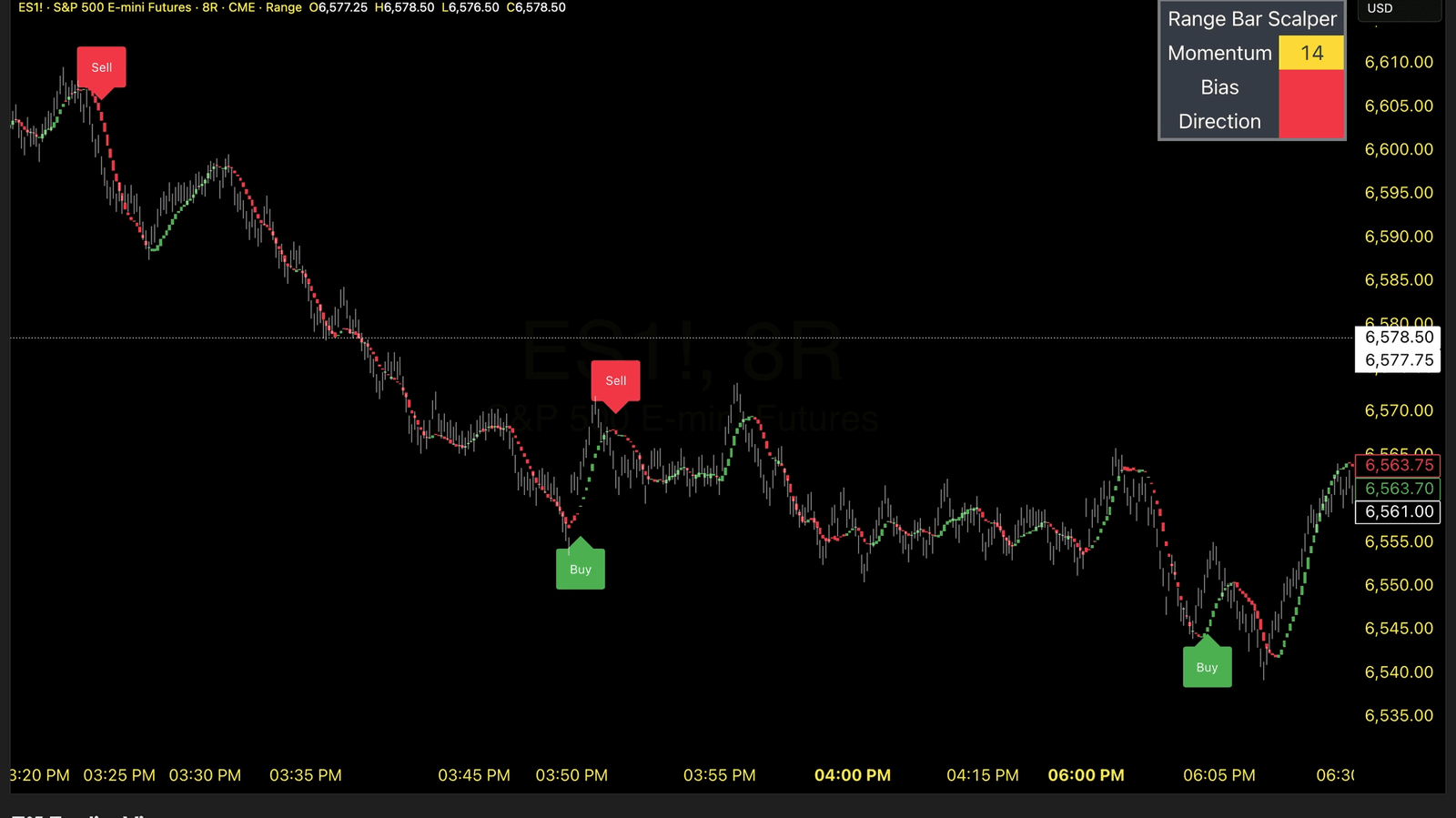
An on-chart table shows the real-time status of all three conditions — Momentum (ADX value), Bias (DM direction), and Direction (STT trend). Color-coded green/red/yellow so you know exactly what's happening at a glance.
| Range Bar Scalper | |
| Momentum | 28 |
| Bias | Bull |
| Direction | Bull |
Position, colors, and text size all configurable
Features
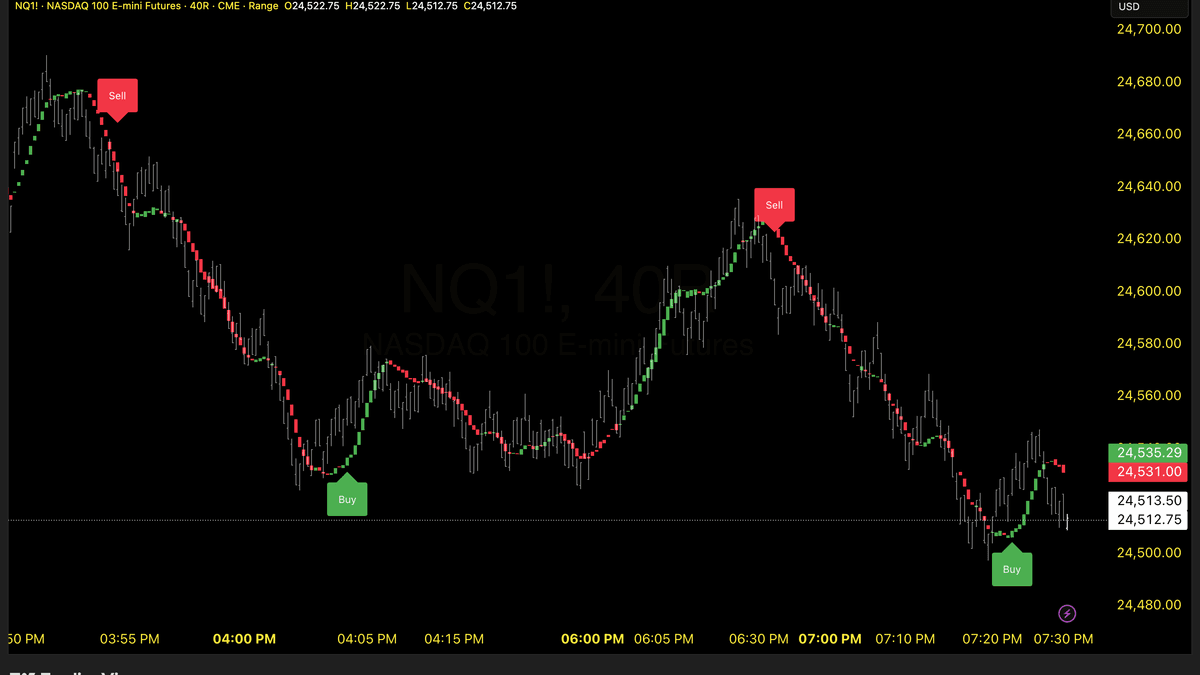
Customizable Buy/Sell Signals
Multi-factor confirmation when ADX, directional bias, and trend align. Configurable consecutive/alternating modes with optional bar close validation.
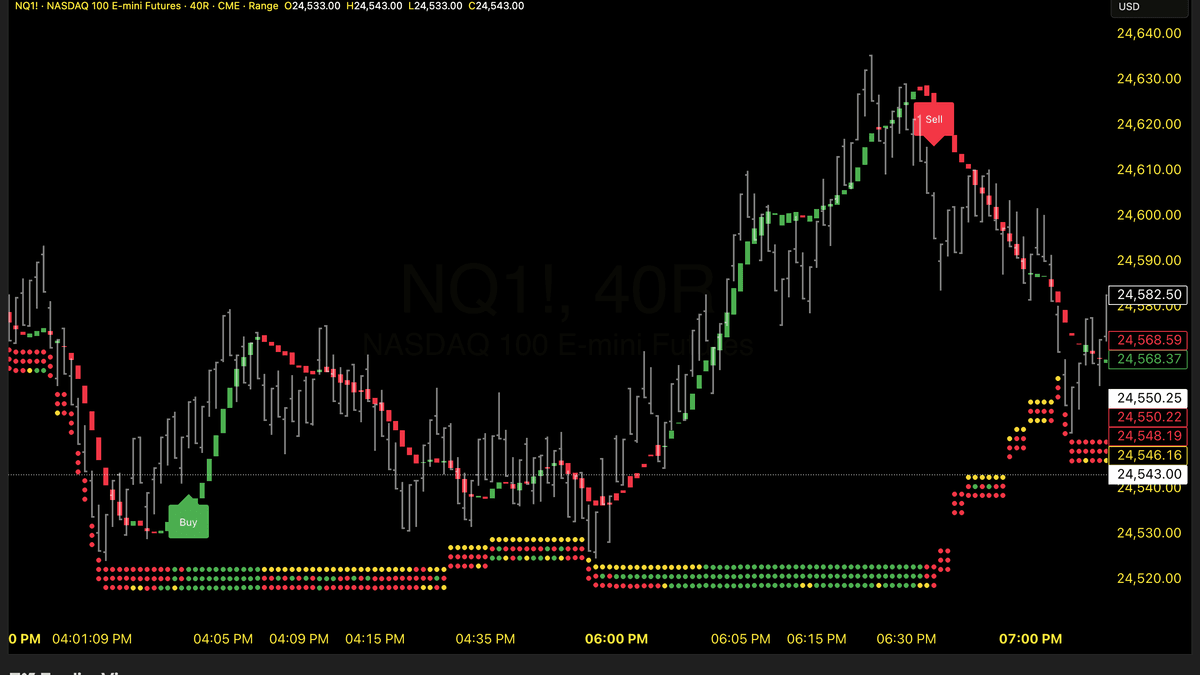
Detailed Visual Confluence
Color-coded visual indicators showing ADX, DM, and STT status for quick condition monitoring.
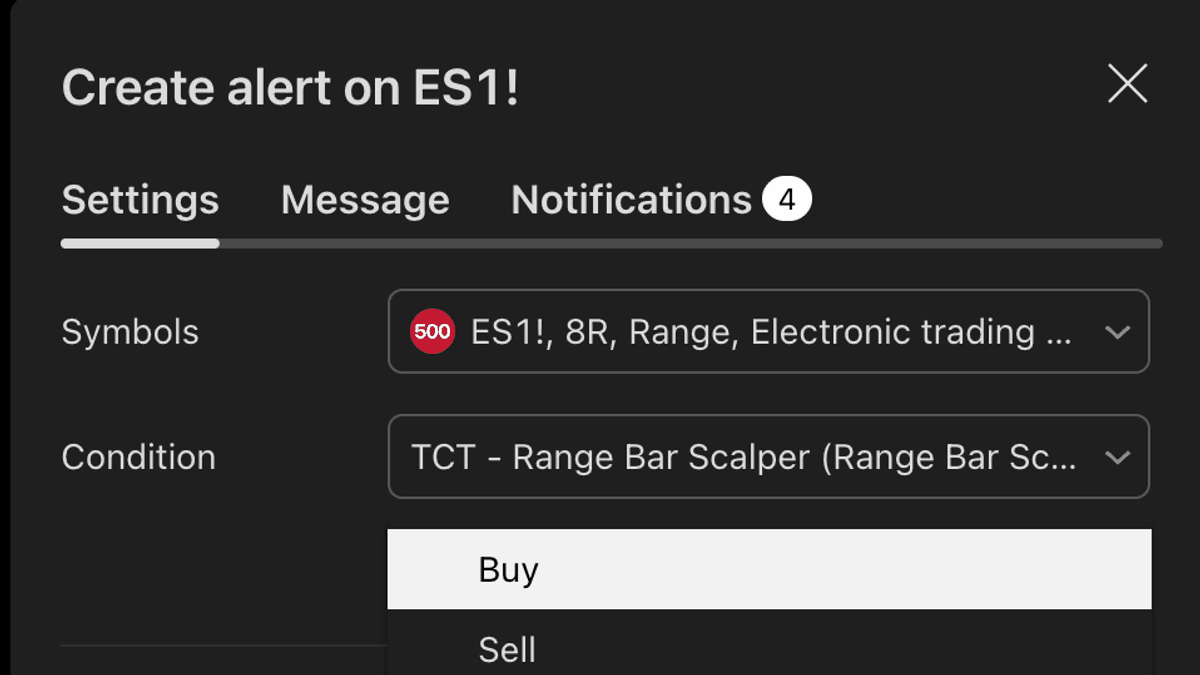
Built-In Alerts
Automated notifications for buy and sell signals, perfect for trading bots and mobile alerts.
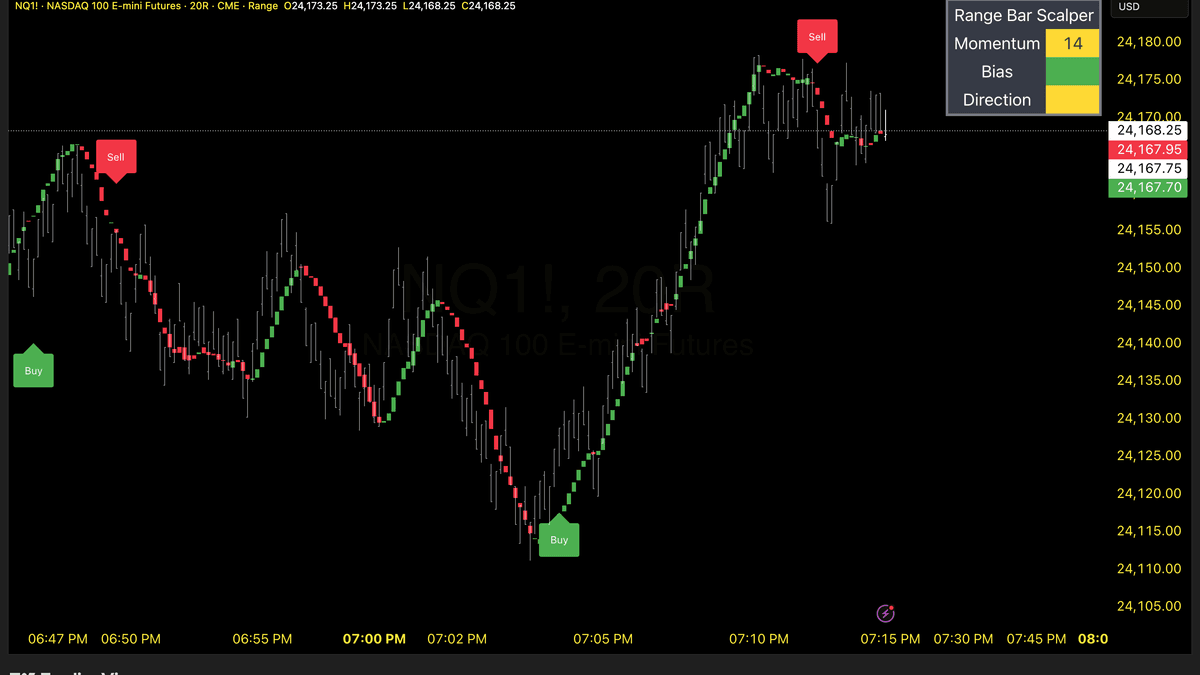
Dashboard
Real-time display of momentum, bias, and direction status with fully customizable appearance and positioning.
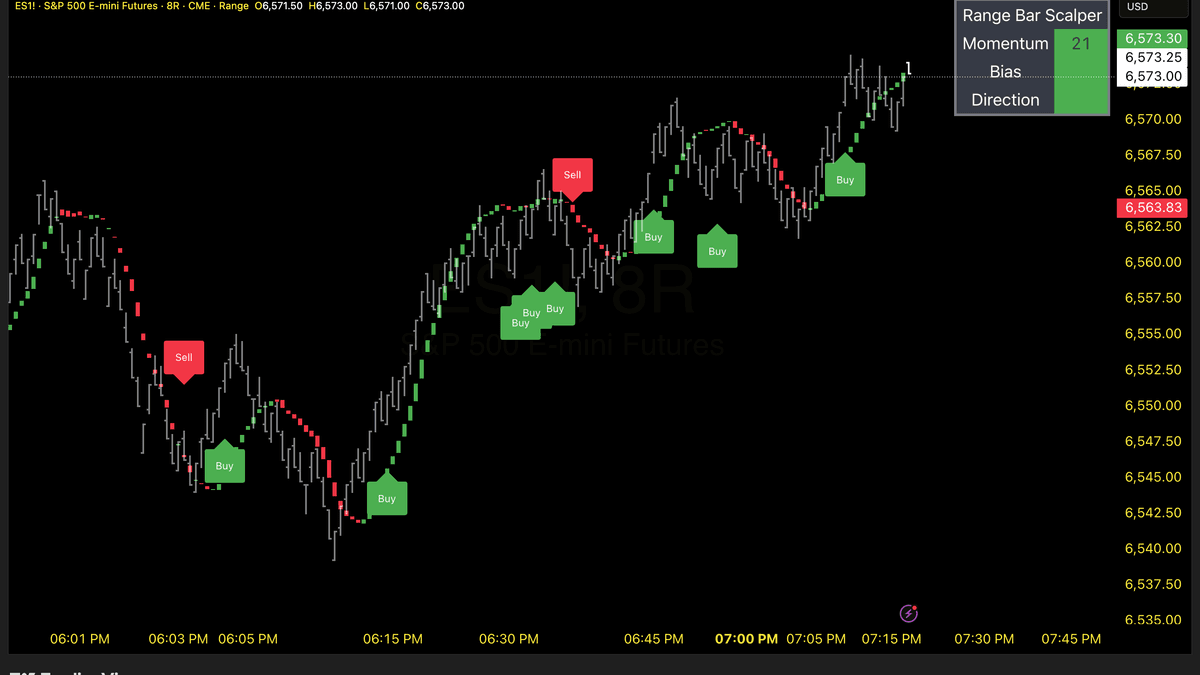
Optional Consecutive Signals
Enable multiple signals in the same direction to capture extended trends without waiting for opposite signals.
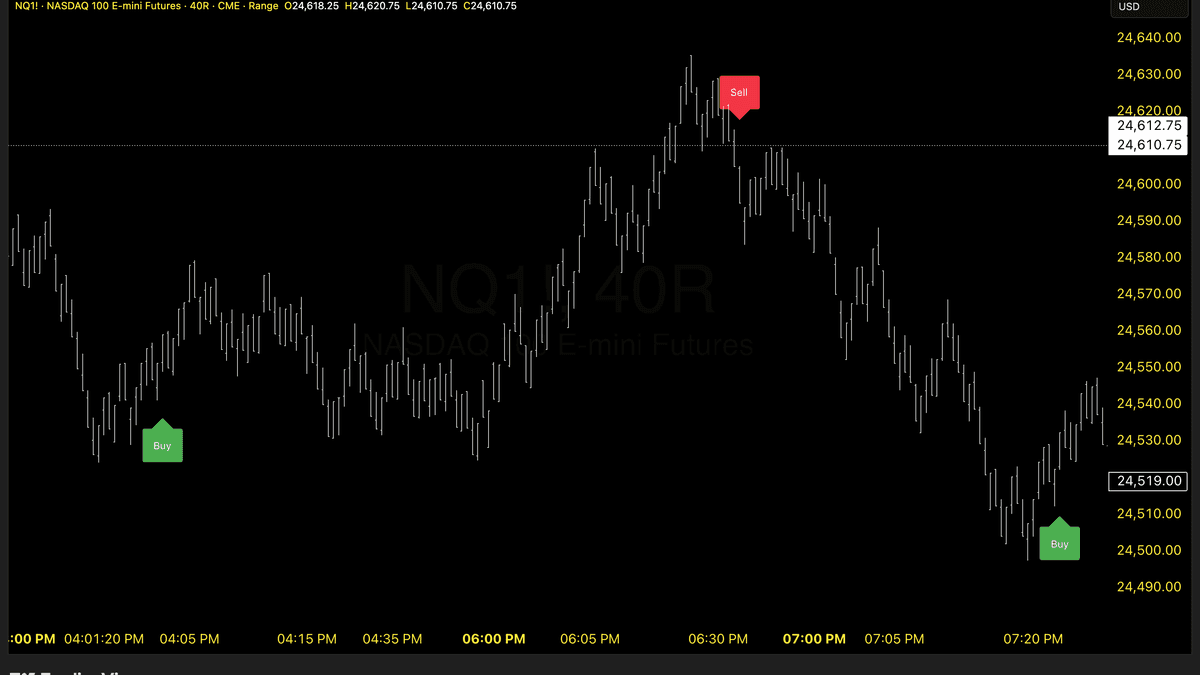
Zen Mode
Minimal mode with only buy/sell signals visible—turn off dashboard, trend candles, and confluence dots for a clean chart.
Additional Features
- ✓Comprehensive PDF Setup GuideA detailed PDF guide with step-by-step instructions, screenshots, and best practices to help you get started quickly and make the most of your purchase.
Ready to Get Started?
Get Range Bar Scalper with your TCT Premium subscription. Includes setup guides, video walkthroughs, and downloads in your member dashboard.