ZoneSniper
What You Need
TradingView
Pro, Pro+, or Premium plan
TCT Premium
Invite-only access with subscription
Any Chart
Works on any instrument & timeframe
Alerts
6 types with webhook support
Zones That Tell a Story
Every zone goes through a lifecycle. Color changes tell you exactly where price stands relative to your zone — at a glance.
Long Zone
Potential buy area. Price is expected to rise into this zone.
Short Zone
Potential sell area. Price is expected to drop into this zone.
Active
Price has entered the zone but hasn’t completed it yet.
Completed
Price moved through both levels. The zone is done.
Everything on the Chart
Zone Sniper puts the information you need directly on your chart — no switching tabs, no mental math.
Zone Level Lines
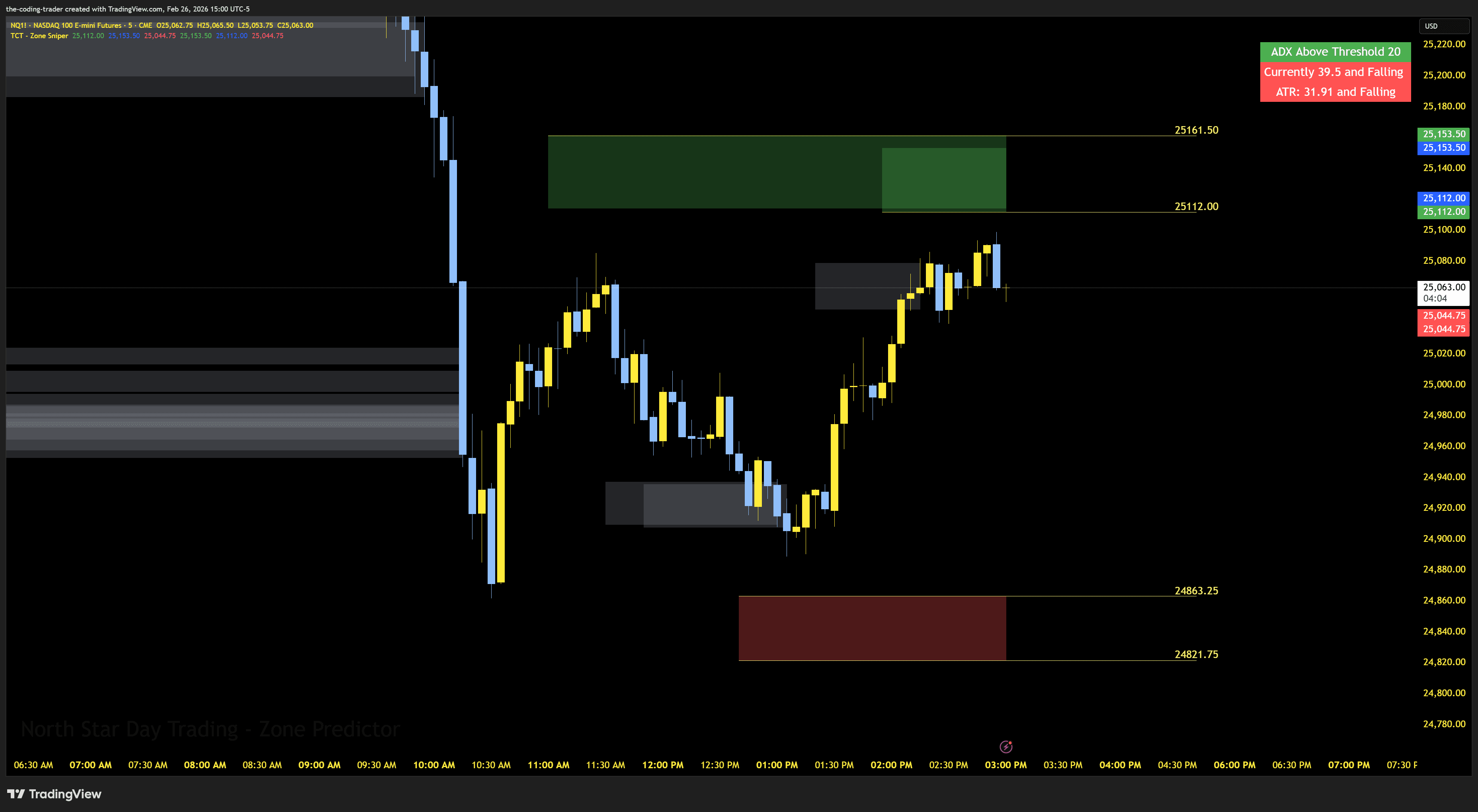
Horizontal lines at the top and bottom of each active zone with exact price labels. Customize colors, line styles, and offsets for fine-tuning entries.
Zone Risk Sizing
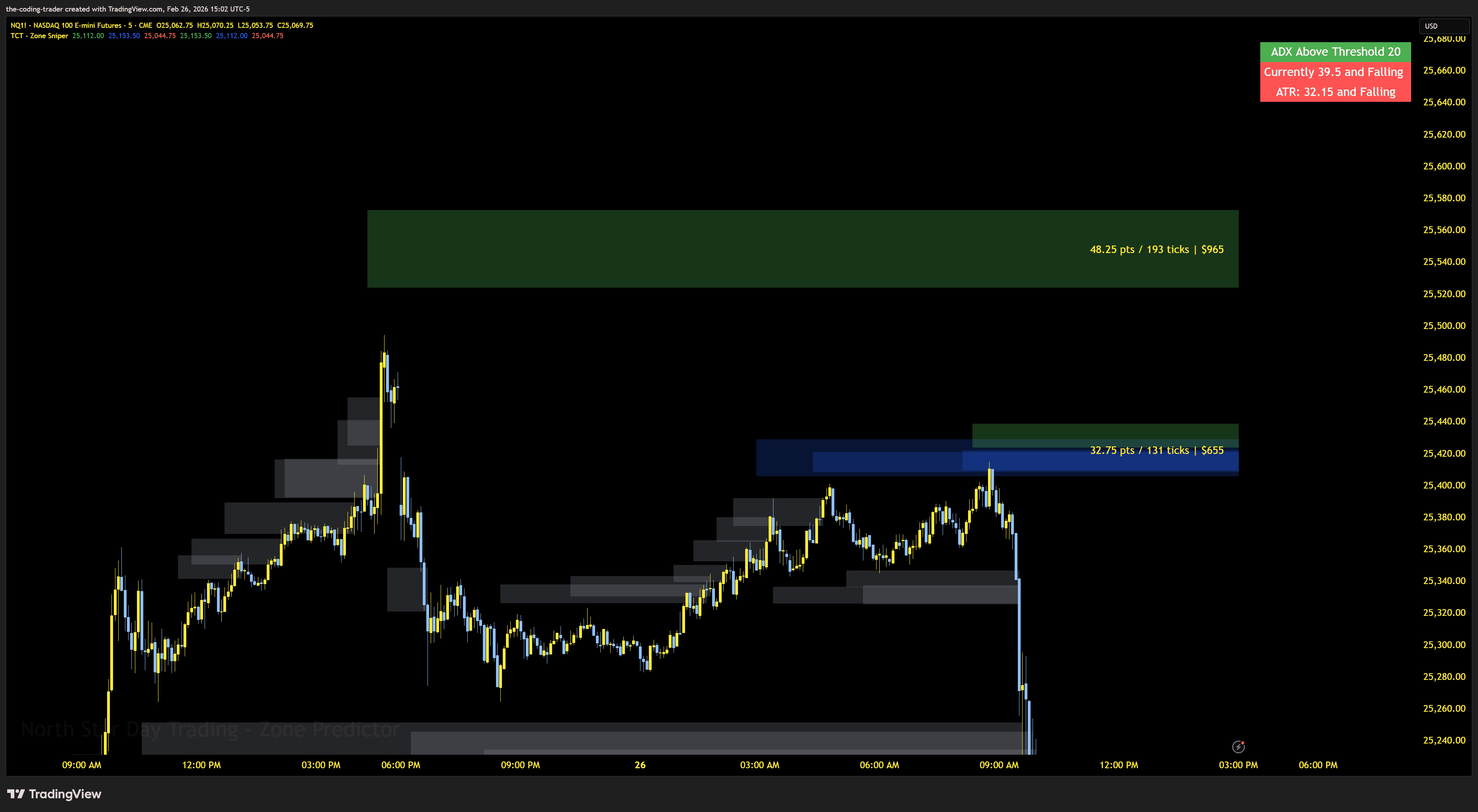
Each zone displays its size in points, ticks, and dollar value right on the chart. Set your contract count for accurate dollar risk at a glance.
Example — based on 2 NQ contracts
Gap Brackets
Visual brackets between non-overlapping zones show the gap distance in points, ticks, and dollars. Instantly know how much room price has to move between active zones.
Dead Zone Filter
Optional overlay highlights consolidation areas where trades may be less reliable. Use it as an additional filter to skip setups in choppy, indecisive price action.
Built-in Trend & Volatility Filters
ADX and ATR are baked in — no extra indicators cluttering your chart. See trend strength and volatility conditions at a glance.
ADX Trend Filter
On-chart table shows whether ADX is above or below your threshold, and whether it's rising or falling. Optional candle coloring warns you when trend strength is weak.
ATR Volatility
ATR displayed alongside ADX in the on-chart table. See whether volatility is expanding or contracting to time your entries in the best market conditions.
6 Alert Types + Webhooks
Never miss a setup. Get notified when new zones print, when price enters a zone, or when ADX confirms a trend — and automate it all via webhooks.
New Zone Printed
Any new zone appears on the chart
New Long Zone
A new long (buy) zone is detected
New Short Zone
A new short (sell) zone is detected
Long Zone Entry
Price reaches the entry level of a long zone
Short Zone Entry
Price reaches the entry level of a short zone
ADX Crossover
ADX crosses above your threshold
All alerts include zone price levels and support webhook integration for platforms like PineConnector and TradersPost.
Features
Precision Trading Zones
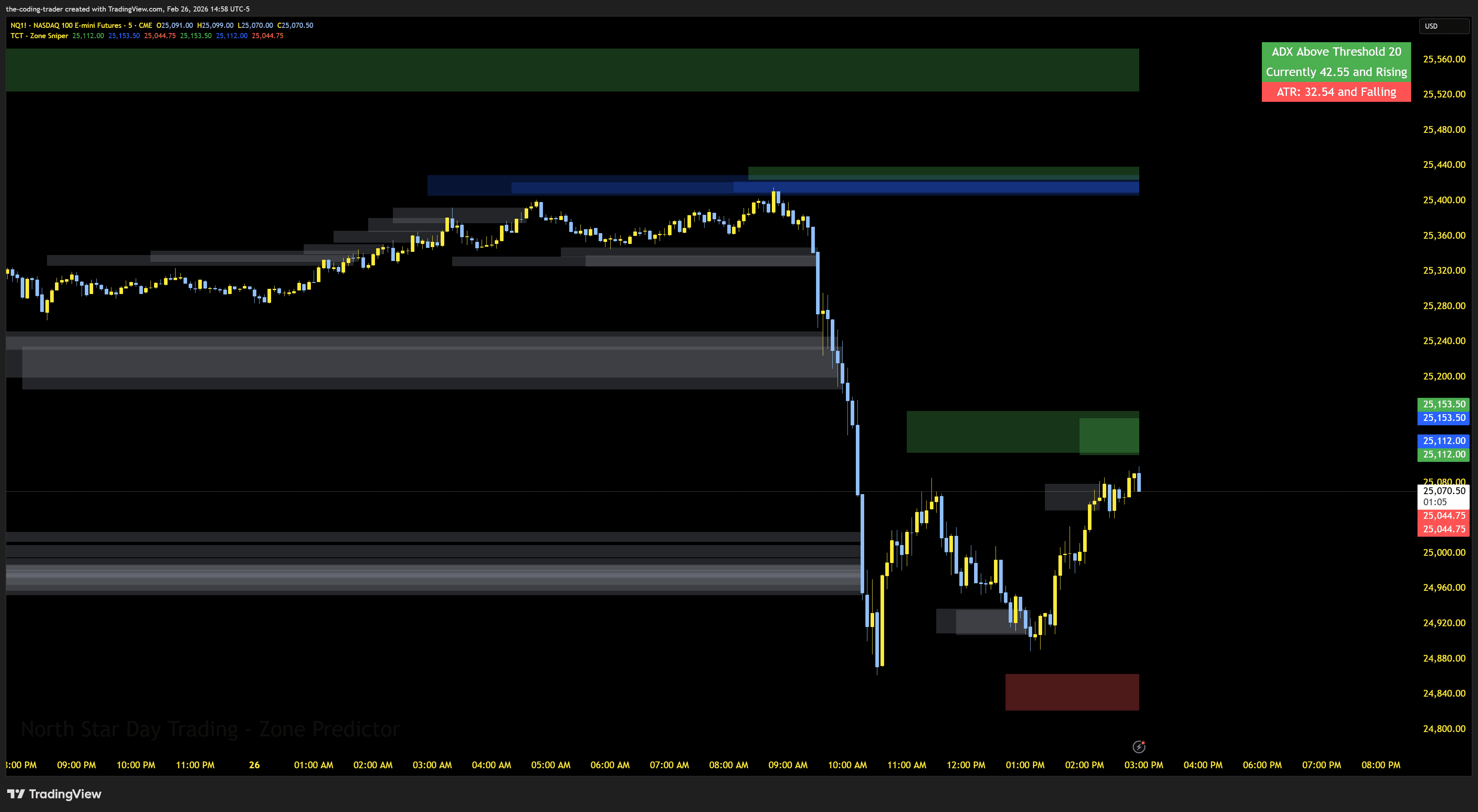
Automatically identifies and plots high-probability trading zones on your chart. Green zones mark potential long entries, red zones mark potential short entries. Zones update in real-time and change color as price interacts with them.
Zone Level Lines with Price Labels
Clear horizontal lines at the top and bottom of each active zone with exact price labels, so you always know the precise levels you're watching. Customize colors, styles, offsets, and how far lines extend past the zone edge.
Zone Risk Sizing
Each zone displays its size in points, ticks, and dollar value right on the chart. Set your contract count to see accurate dollar risk per zone at a glance - no manual calculations needed.
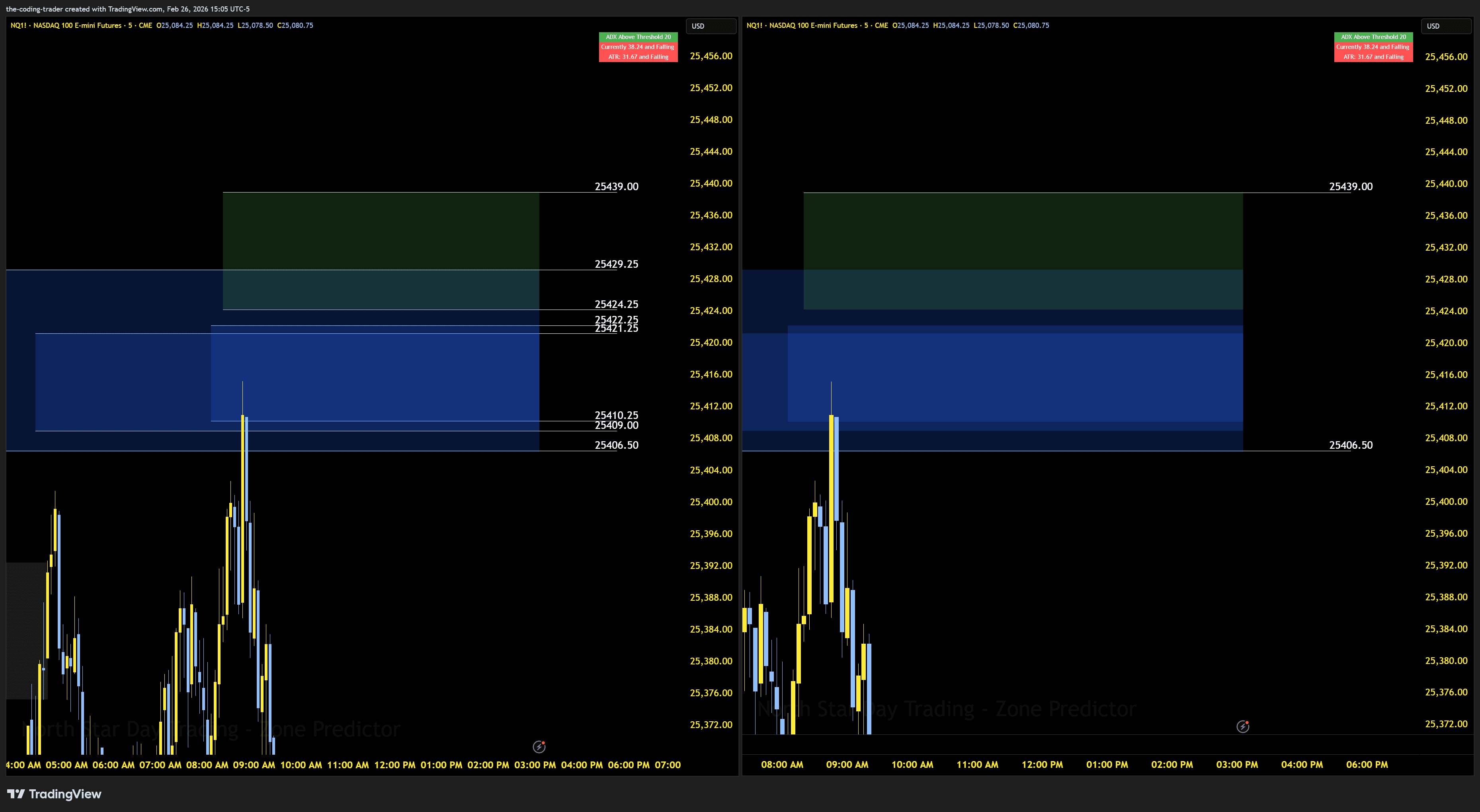
Merge Overlapping Zones
When multiple zones cluster together, enable merge mode to combine overlapping lines into clean outermost levels with combined risk stats. Cuts through the clutter so you see the full picture.
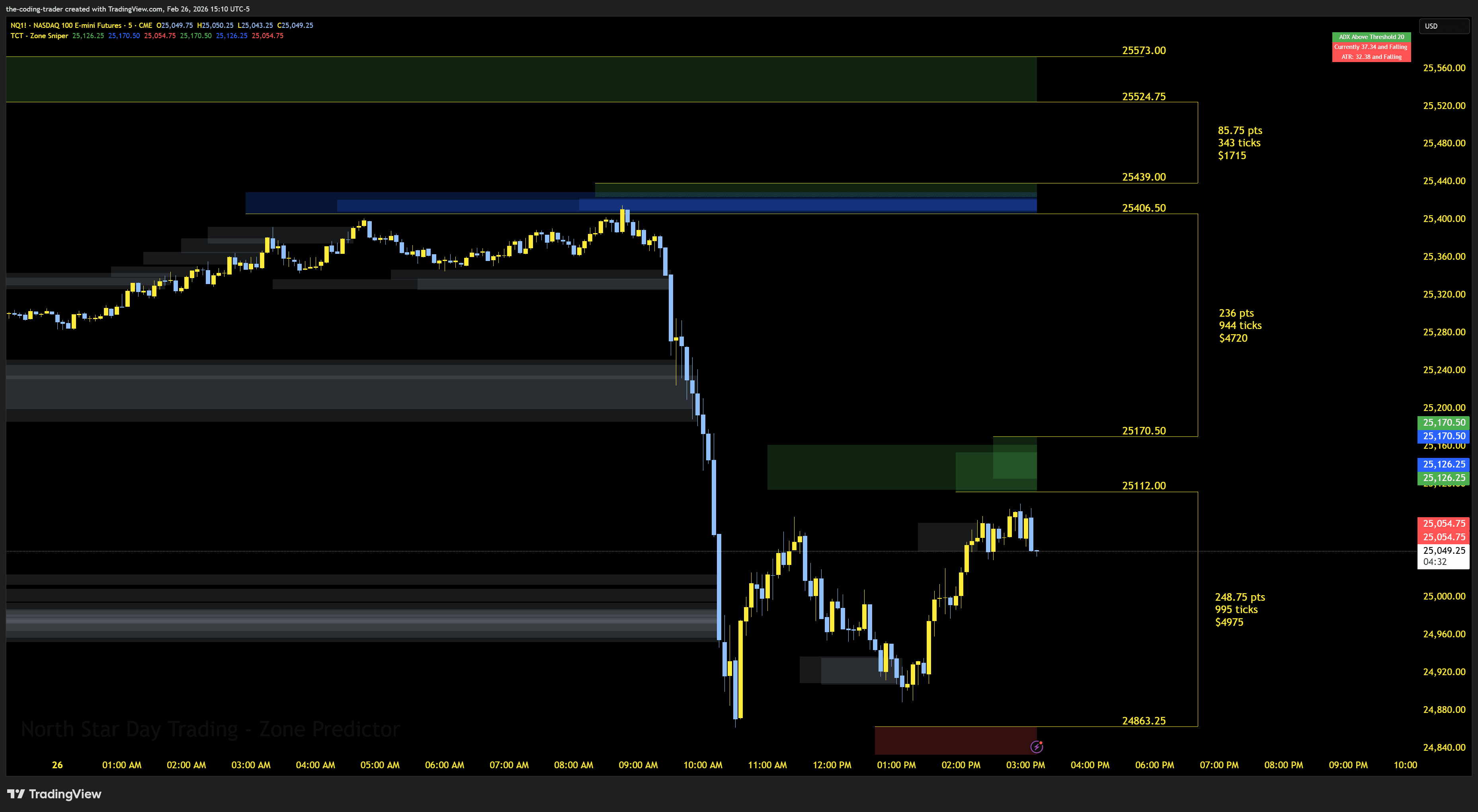
Gap Brackets
See the gaps between your zones with bracket visuals showing the distance in points, ticks, and dollars. Instantly know how much room price has to move between active zones.
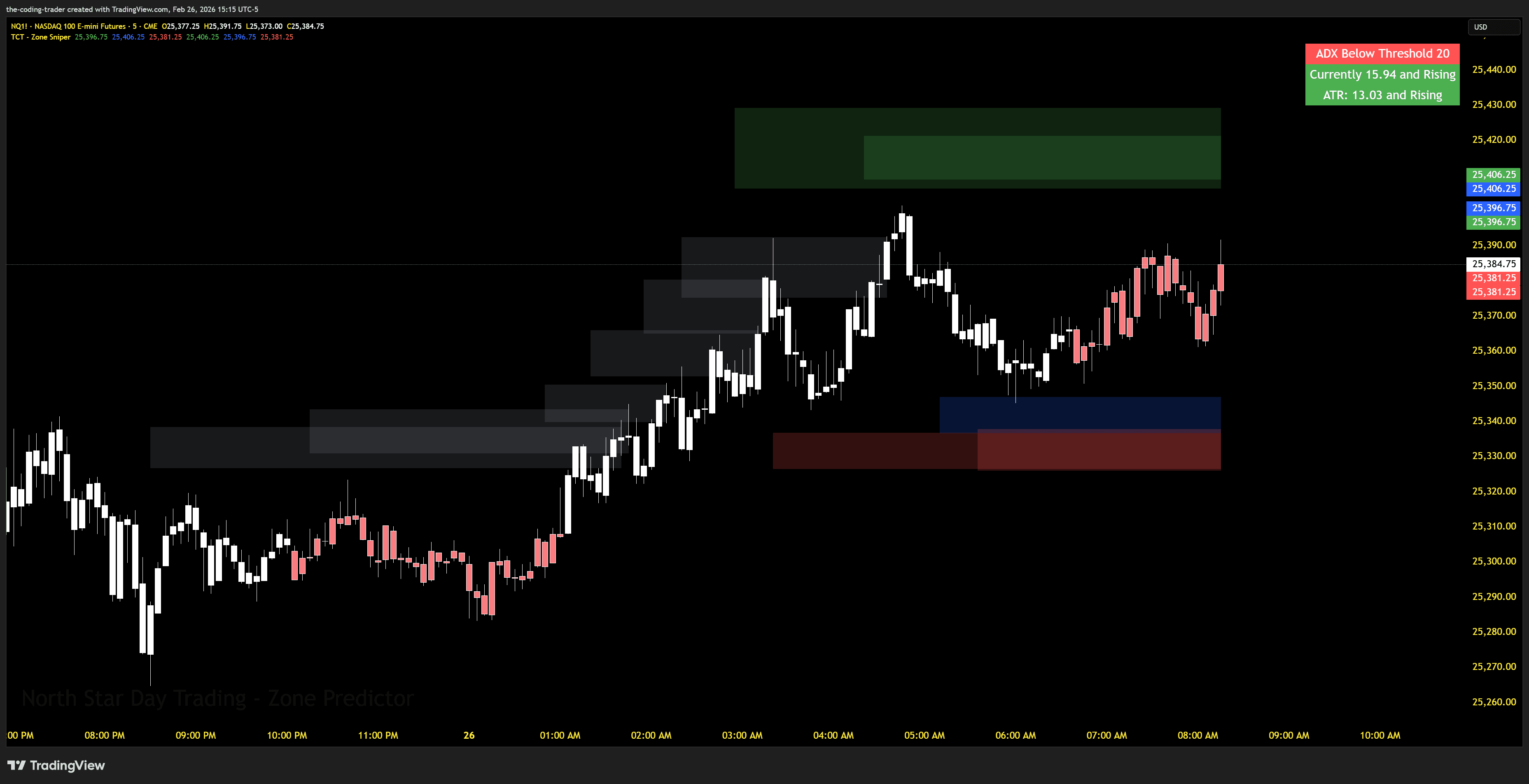
ADX Trend Filter
Built-in ADX table in the corner of your chart shows trend strength at a glance - above or below threshold, rising or falling. Optional candle coloring warns you when ADX is below threshold so you can avoid choppy conditions.
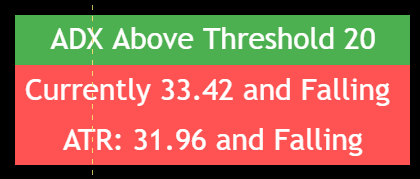
ATR Volatility Tracking
ATR displayed alongside ADX in the on-chart table, showing whether volatility is rising or falling. Use it together with ADX to time your entries in the best market conditions.
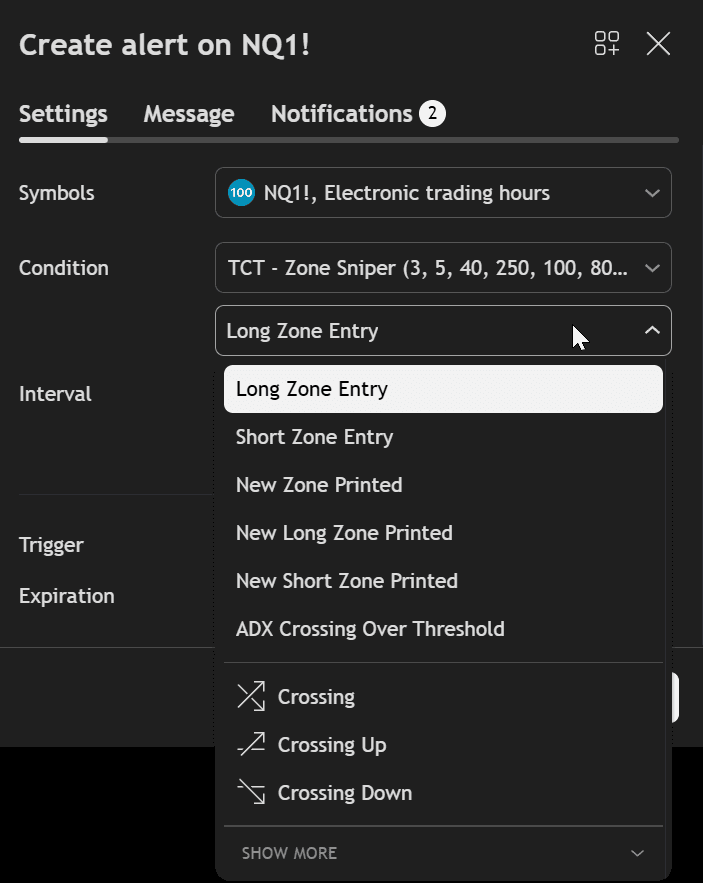
Real-Time Zone Alerts
Get notified the moment a new zone appears or when price enters a zone for the first time. Six alert types including new zone printed, long/short zone entry, and ADX threshold crossing. Full webhook support for platforms like PineConnector and TradersPost.
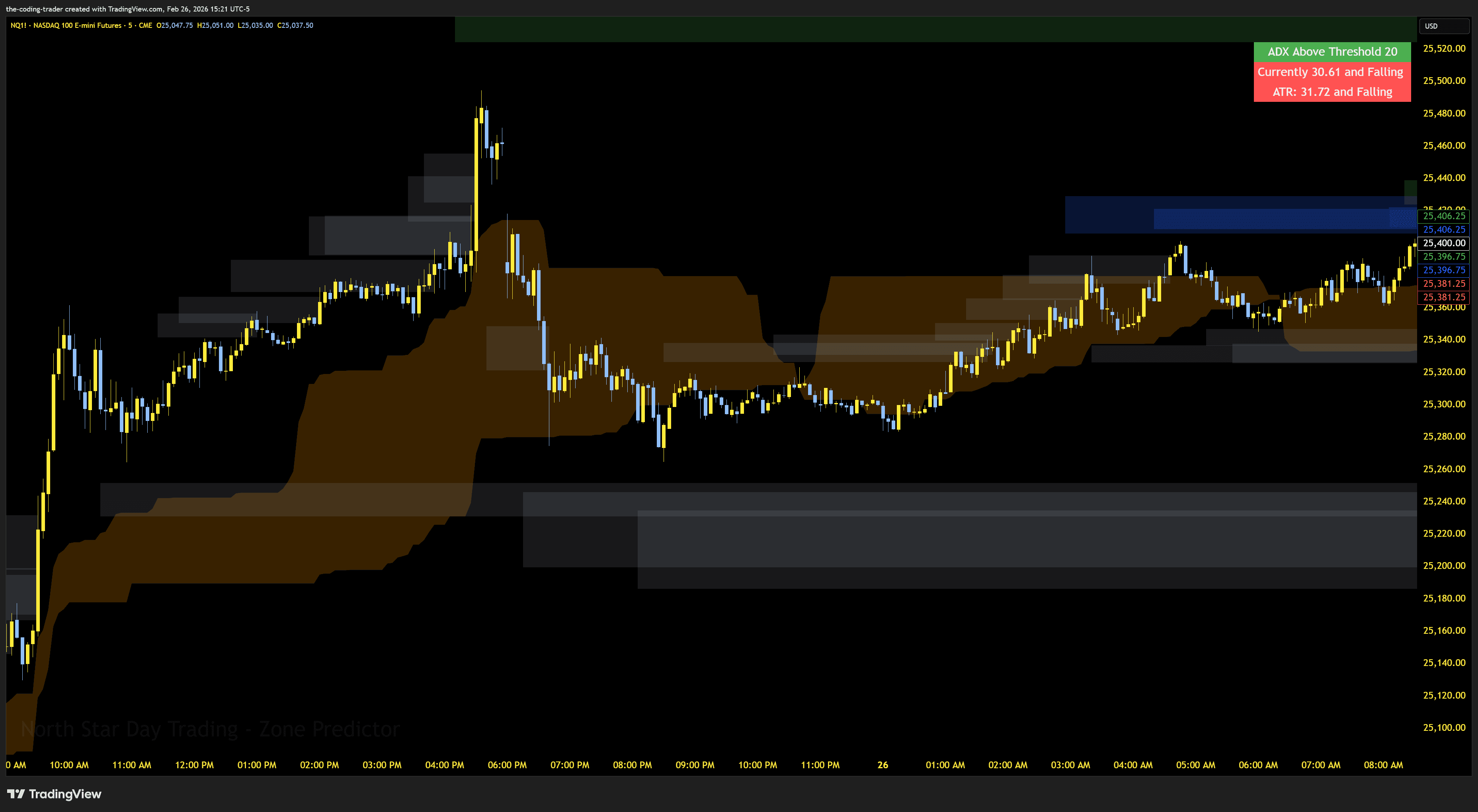
Dead Zone Filter
Optional overlay highlights consolidation areas on your chart where trades may be less reliable. Use it as an additional filter to skip setups in choppy, indecisive price action.
Additional Features
- ✓Comprehensive Setup GuideStep-by-step setup guide covering every setting, recommended configurations for NQ lower and higher timeframes, alert setup instructions, and tips for getting the most out of Zone Sniper.
Ready to Get Started?
Get Zone Sniper with your TCT Premium subscription. Includes setup guides, video walkthroughs, and downloads in your member dashboard.